



When a phone starts warning me about low storage, I usually want a quick answer rather than another complicated maintenance routine. Storage Clean - Quick & Secure is built for that moment, combining storage cleanup with malware scanning and PIN-based app locking in one productivity-focused utility. I found its appeal easy to understand: instead of moving between several tools, I can begin with the space problem and then check a couple of basic security tasks from the same place.
The app is free, aimed at everyone, and developed by HLIMATE INNOVATIONS PRIVATE LIMITED. It has passed the one-million-install mark and holds a 3.5 average from around 2.6 thousand ratings, which suggests that people find the concept useful but that the experience may not satisfy every phone or every expectation equally. My view is similar: it is convenient as a compact maintenance tool, but it works best when I treat its recommendations as something to review rather than instructions to accept blindly.
From a crowded phone to a more manageable routine
The starting condition is familiar. A phone becomes harder to use because temporary files, forgotten downloads, duplicate-looking media, or rarely opened apps gradually take up room. The problem is not always that I need to delete everything; often I need to identify what can safely go. That distinction matters with any cleaner, including this one.
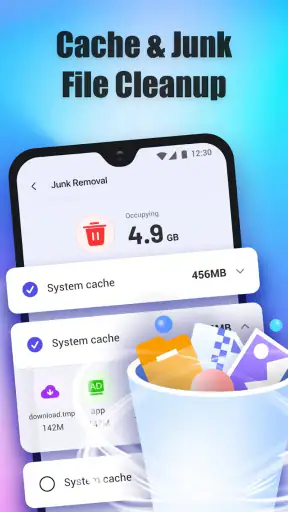
I would begin by opening the storage-cleaning area and letting the app present the items it considers suitable for removal. The useful part of this workflow is the handoff between discovery and decision. A scan can point me toward clutter, but I still need to inspect the categories and understand what I am about to remove. A cleaner is helpful when it reduces searching, not when it replaces judgment.
For example, before a long trip I might notice that my phone has little room left for photos and offline media. I would use the scan to locate removable cache and then look over the results before confirming anything. I would keep recent downloads, documents needed for work, and media that has not been backed up. This makes the tool more useful than a one-tap “clean everything” button because the outcome depends on my choices.
How the cleanup handoff works in practice
The most important handoff is from the scan to the person holding the phone. Storage Clean can organize the cleanup task, but I remain responsible for recognizing context. A thumbnail, filename, or category that looks disposable may still matter later. I recommend using the app first as an inspection tool, especially on a phone where photos, voice recordings, or downloaded documents are mixed together.
Cache cleaning is a good example of a sensible first pass. Temporary data can accumulate without representing personal files, so it is generally easier to review than a broad sweep of media. I would start there, then move toward larger or less obvious items only after checking what the app has selected. This staged approach reduces the chance of solving a storage warning by creating a different problem.
There is also a practical timing issue. I would not run a cleanup immediately before an important call, presentation, or journey unless I had time to check the result. Maintenance tools are most useful when the phone is stable and I can test the apps I rely on afterward. The workflow is simple, but the handoff from “scan complete” to “removal approved” deserves more attention than the marketing-style promise of instant space.
Adding a malware check without changing tools
Once the storage task is finished, the next handoff is from maintenance to security. The app includes malware scanning, so I can use the same utility to perform a basic check instead of opening a separate security product. That is convenient for occasional reassurance, particularly for someone who does not want a large security suite running through a long list of settings.
I would treat the scan as a screening step, not as proof that a phone is completely safe. If the app identifies something that needs attention, the sensible response is to read the result carefully and investigate the named application or file before removing it. If the phone contains sensitive work, banking access, or private client material, I would still prefer a security solution with a deeper protection model and clearer ongoing coverage.
The advantage here is workflow continuity. I can clean obvious clutter, then check for a security concern while I am already thinking about the phone’s condition. The trade-off is that a combined utility may feel less specialized than a dedicated malware product. For everyday maintenance, that compromise can be reasonable; for high-risk use, I would choose depth over convenience.
Locking selected apps with a PIN
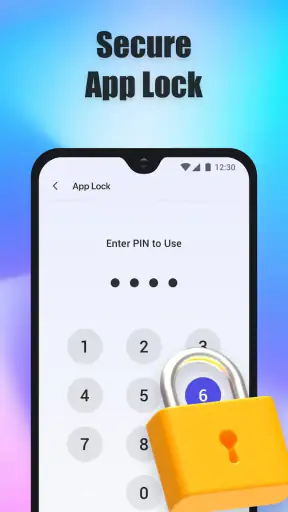
The app-lock feature changes the task from freeing space to controlling access. I can use a PIN to protect selected apps, which is useful when I lend my phone to a child, share it briefly with a colleague, or want an extra barrier around messaging, notes, or financial applications. The handoff here is between the phone owner and another person: the lock is valuable because it limits what can be opened during that handover.
I would keep the protected list short and purposeful. Locking every app can turn ordinary phone use into a sequence of interruptions, while locking only the applications that contain private material gives the feature a clearer role. I would also choose a PIN I can remember without writing it beside the phone. A forgotten lock code can create more friction than the privacy benefit is worth.
This is one area where I would compare the app with the phone’s built-in privacy controls. Some Android devices already provide app locking, secure folders, or separate user spaces. If those tools are available and fit my needs, they may integrate more naturally with the operating system. Storage Clean becomes more attractive when I want cleanup, malware scanning, and app locking together rather than a single dedicated privacy feature.
What happens after the actions are complete
The result I want is not merely a finished animation or a reassuring message. I want enough free space to continue using the phone, confidence that I did not remove something important, and a lock setup that does not interfere with normal access. I would check the phone afterward by opening the apps I use most, reviewing important files, and confirming that the protected apps behave as expected.
This verification step is an overlooked part of the workflow. If a cleaner removes temporary information, an app may need to rebuild it later. If I lock an application, I need to know whether the PIN prompt appears at the right moment. If a malware scan raises an alert, I need a clear next action rather than simply dismissing it. The app is most helpful when I use it as part of a short before-and-after routine.
For a household phone, I can imagine using it before handing the device to someone else: review storage, remove clearly disposable cache, scan for threats, and lock private apps. For a work phone, I would be more conservative, keeping records of what I remove and avoiding aggressive decisions around documents. For an older device, the combined tools may be more useful than installing several separate utilities, provided the interface remains comfortable to navigate.
Where the flow becomes less comfortable
The central limitation is that convenience can encourage overconfidence. A cleaner cannot know the personal value of every file, and a malware scan cannot remove the need for cautious downloads and updates. I would not use any result as permission to delete or uninstall items without reading the context. That is particularly important for people who store photos, recordings, offline maps, or work files locally.
Another possible friction point is the overlap with existing phone features. Android already provides storage settings, permission controls, and other forms of device management, while many security products focus more deeply on threats. If I only need to remove cache, the system settings may be enough. If I mainly need privacy, a built-in app lock or secure folder may be the cleaner choice. This app earns its place through combination, not through replacing every specialist tool.
I would also avoid expecting it to solve every performance complaint. Freeing storage can make a crowded phone easier to manage, but it does not automatically repair a weak battery, slow processor, poor network connection, or badly behaved application. A useful cleanup result should be judged by the specific problem it addresses: available space, a basic security check, or controlled access to selected apps.
The release is listed as October 13, 2025, and the current version is 1.0.38. It supports Android 7.0 and later, which gives it a broad place among older Android phones as well as newer models. That compatibility is helpful for households with mixed devices, although the experience can still vary with the phone’s own storage tools and software design. I would check the app’s behavior on the particular device rather than assuming that every Android interface will present the same workflow.
Who will get the most from it
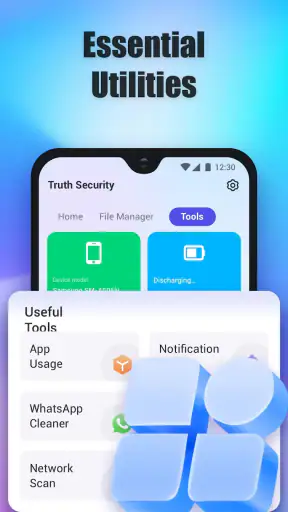
I think this app suits people who want one approachable place for three related jobs: finding removable clutter, checking for malware, and putting a PIN barrier around chosen apps. It is especially practical for someone who does not enjoy comparing specialist utilities or navigating several separate settings menus. The free price also makes it easy to try as a personal maintenance option.
It is less suitable for someone who wants a highly detailed storage manager, enterprise-grade security, or a privacy system designed around advanced device separation. Those users may be better served by the phone manufacturer’s secure workspace, a dedicated security application, or a file manager that gives more granular control. I would also steer cautious users toward manual review if their storage contains irreplaceable material.
The Everyone content rating makes the app approachable for a wide audience, but that should not be confused with automatic safety decisions. A younger user may still need guidance before deleting files or responding to a security warning. In a shared family setting, I would make the adult the person who approves cleanup and chooses the protected apps, while the person using the phone learns what the scan is actually doing.
My recommendation after following the full workflow
Storage Clean - Quick & Secure is a practical all-rounder rather than a specialist replacement for every Android utility. I like the way its functions connect: a storage problem can lead naturally to a malware check, and lending the phone can lead to app locking. That makes the app easy to understand in real life, especially when I want a short maintenance session instead of a collection of unrelated tools.
My recommendation is to use it deliberately. Start with the least risky cleanup, inspect the proposed items, run the security check as a screening step, and protect only the apps that genuinely need a PIN. Then test the phone and confirm that the result matches the original problem. The best outcome comes from using the app to make decisions clearer, not from handing every decision over to an automatic button.
With that expectation, the app is worth considering for Android users who want a free, straightforward combination of storage care and basic privacy controls. Its 3.5 average reflects the fact that a combined tool will not be perfect for everyone, but its broad install base shows that the approach has real appeal. I would install it for convenience, keep my own judgment in the loop, and switch to a dedicated alternative whenever my needs moved beyond quick maintenance and everyday app protection.


